| Image | SKU | Name | Dates | Assets | View | Add |
|---|
Bulk Migration
Drop CSV to Sync Registry
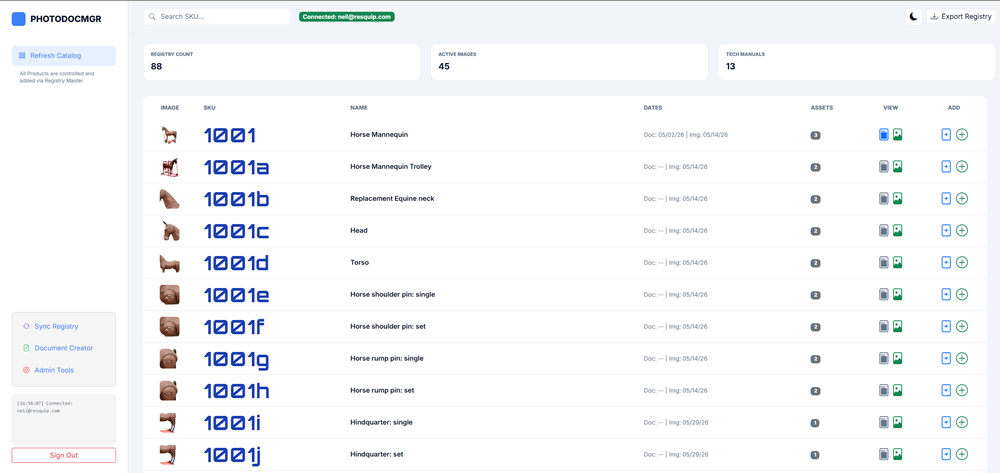
PhotoDocMgr — Help & Instructions
Manage hero images and technical documents for products in your catalog. SKUs are created in Registry Master; this app updates assets on each product row in real time.
Quick start
1Sign in with your PDM account.
2Search by SKU or name in the header.
3Use Add ( / ) to upload.
4Use View to preview image or PDF in-app.
Search & tools
- Search SKU filters as you type.
- Refresh Catalog clears search and reloads the table.
- Export Registry downloads a CSV backup.
- Theme toggle switches light / dark mode.
Row actions
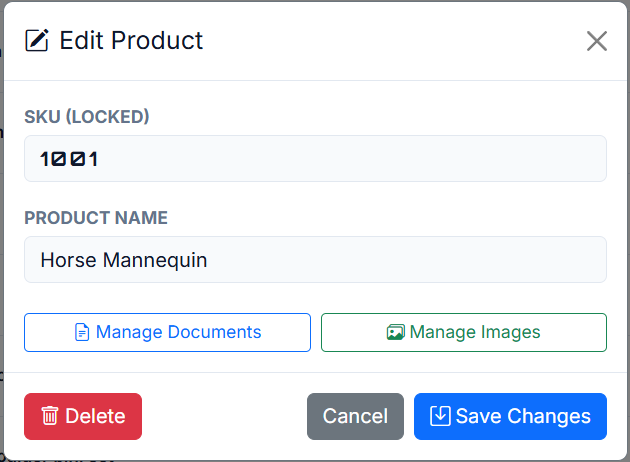
Double-click a row to edit the product name.
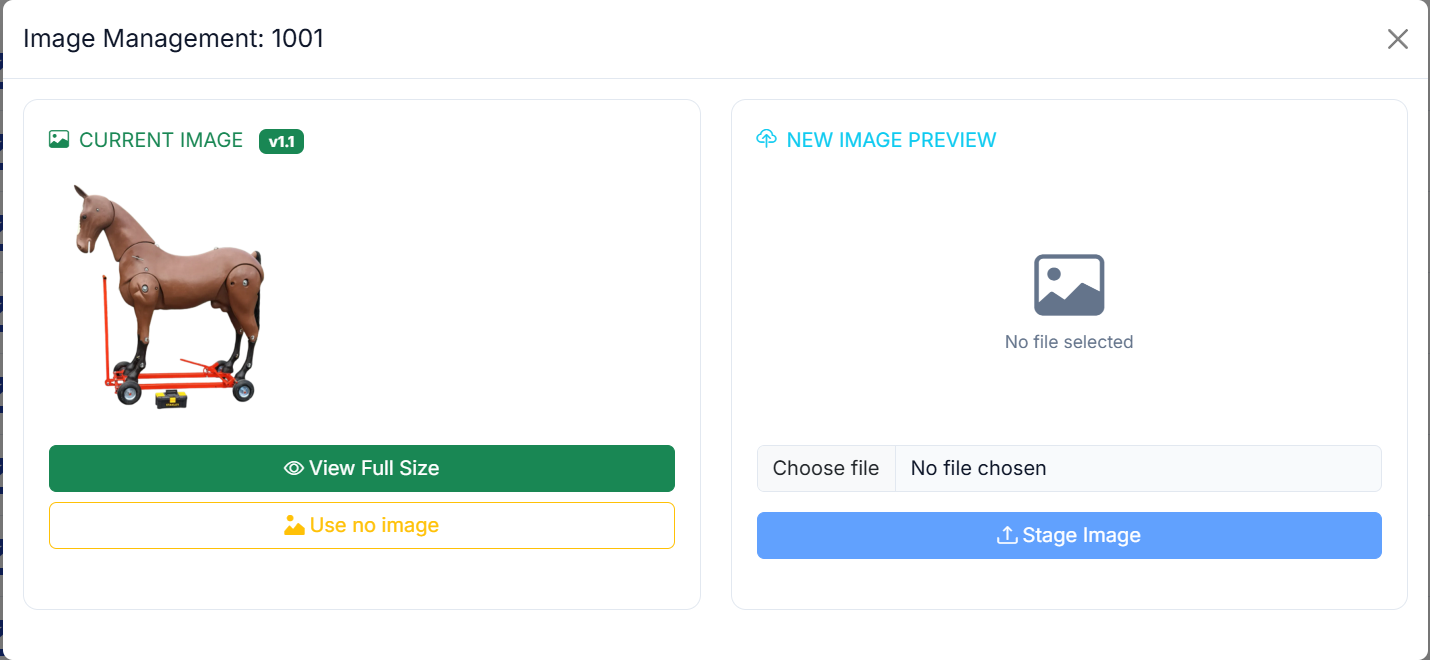
Uploading hero images
- Click + image on the row (green circle).
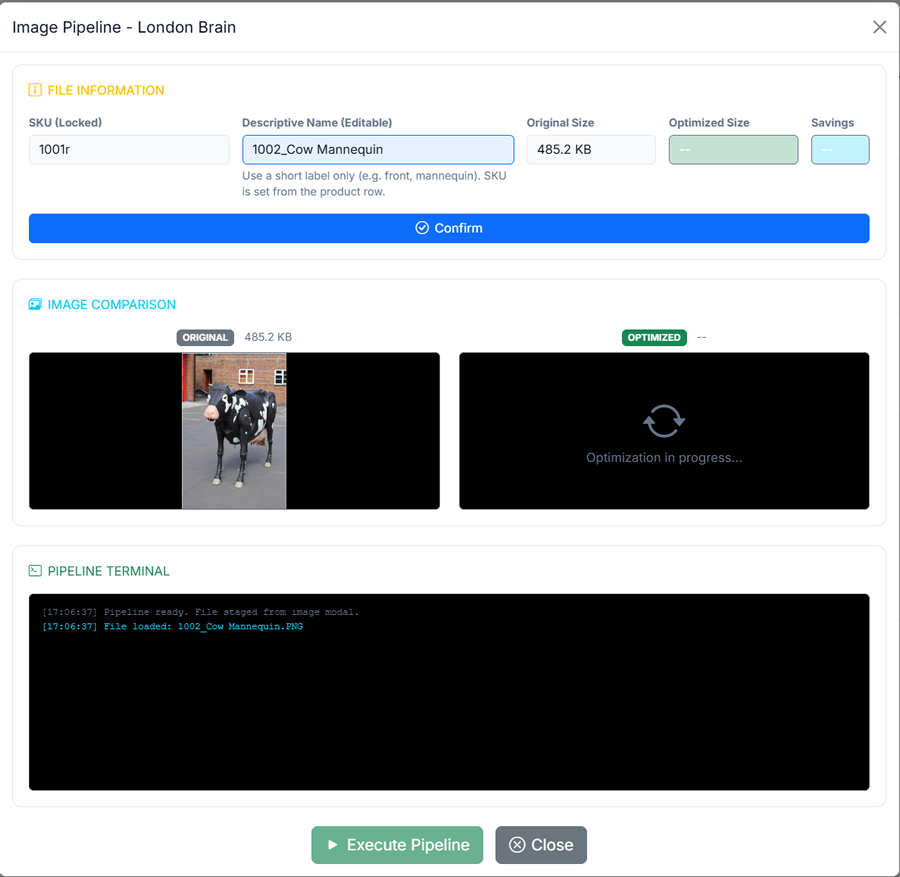
- Pick a file → Stage Image opens the pipeline.
- Confirm with a real description (not SKU-only).
- Execute Pipeline — London Brain creates
{sku}.webpon CDN. - Use no image resets to the shared placeholder.
Image updates live in PhotoDocMgr (
products). They do not auto-update Registry Master — see Sync below.
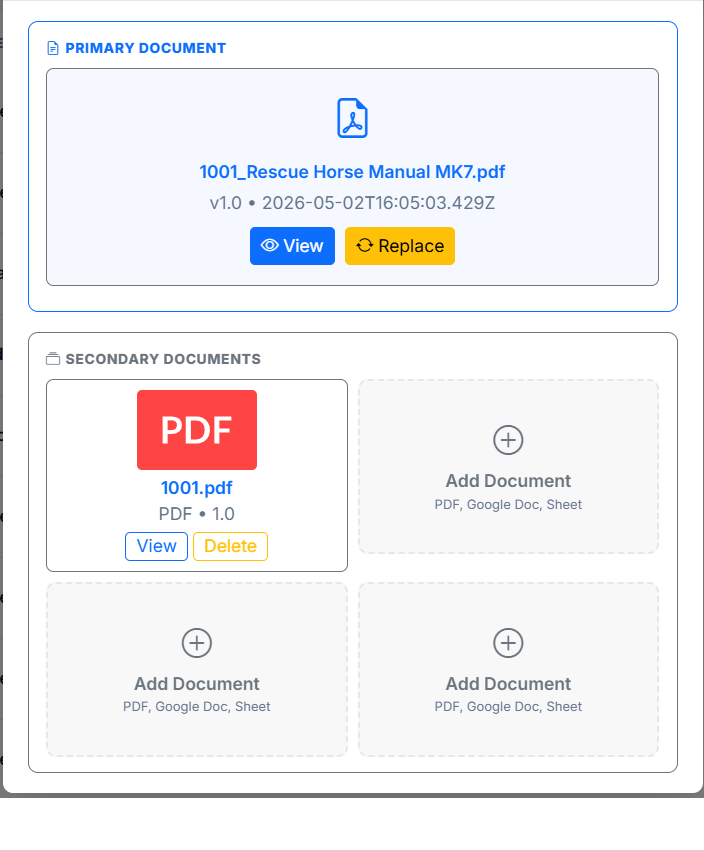
Uploading documents
- Click + document (blue file-plus) on the row.
- Upload or manage primary and secondary PDFs/docs.
- Blue file-post icon opens an in-app PDF preview.
- If preview is blank, use Open in new tab in the modal.
Admin Document Creator (sidebar, password) is for advanced primary-document workflows.
Sync Registry
- Sidebar → Sync Registry → Load Comparison.
- Compares
registry_mastervsproductsby SKU. - Registry is source of truth — apply pulls registry → products.
- NEW add product · DELETE remove · CONFLICT overwrite
- Compares name, price, sectors — not hero images.
After a new hero image here, Registry / other apps may need a separate catalog→registry image sync (Registry Connect).
Troubleshooting
- SKU missing? Add it in Registry Master, then Sync NEW.
- Pipeline won’t confirm? Use a proper description, not SKU alone.
- Wrong image on CDN? Check you started from the correct SKU row.
- Stale UI? Hard refresh (Ctrl+F5).
- PDF won’t embed? Storage headers may block iframe — open in new tab.
- Stats bar: Registry count, active images, tech manuals with primary docs.